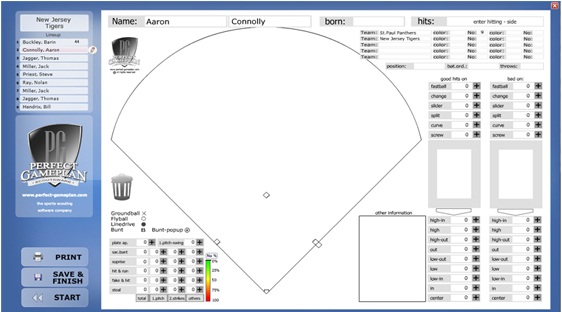
| View and edit existing data for an individual player. Simply click and select the player from the line-up. Their data will be loaded and ready to edit. The following options are available: |
|
Click and select an offensive action such as, Linedrive, Bunt or Groundball, then simply click the spot on the field where the ball went.
|
|
Use the + button in the offensive action area to record the number of times a player executes a specific action such as Bunt or Steal.
|
|
Use the + button in the batter's positive contact pitch/location area
|
+ buttons may be used to record the numer of times the batter succeeded or failed with respect to certian pitches or locations.
Additionally, you can click and set markers in the strike-zone area to record the batter's performance.
|
|
Update the player's personal information like Name, date of birth, position, number . . .
|
|
You have the option to add text information in the notes textfield.
|